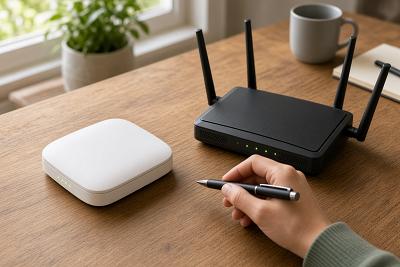
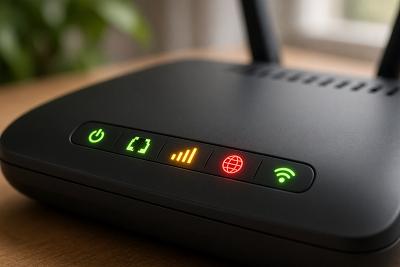
Modem, router and hub are words that get used interchangeably, but they describe different jobs, and knowing the difference helps you understand your connection and troubleshoot it. In simple terms, a modem connects your home to your broadband provider's network, a router shares that connection among your devices and creates your Wi-Fi, and a hub is the name many providers give to a single box that combines both functions. The unit on your wall today is almost always a combined device doing several jobs at once.
This guide explains what each term means, what the box actually does, how modern combined units work, and why understanding the distinction is useful when something goes wrong. You do not need technical knowledge; the aim is a clear mental picture of the device that runs your home internet.
Terminology and equipment vary between providers, so treat this as a general explainer and check your provider's terms for what they call their equipment.
What does a modem do?
A modem is the part that connects your home to your broadband provider's network and translates the signal coming in over your line into data your devices can use, and vice versa. It is the bridge between the wider network outside and your home. On its own, a modem provides a single connection to the internet, but it does not, by itself, share that connection or create Wi-Fi.
The type of modem matches your connection type, since a full fibre connection, a connection using copper for part of the line, and a cable connection each work differently. This is one reason equipment is matched to your service, and why a device for one connection type is not necessarily right for another.
What does a router do?
A router takes the single internet connection and shares it among all the devices in your home, directing data to the right place, hence the name. It is also what creates your Wi-Fi, allowing wireless devices to connect, and usually provides wired ports for devices you plug in. The router is where your home network lives, managing how your phones, laptops, TVs and smart devices all use the one connection.
Routers also handle important functions such as your Wi-Fi network name and password, security settings, and features like guest networks and parental controls. When people talk about improving their Wi-Fi, it is usually the router, or its placement, that they are really talking about.
How do modern combined units (hubs) work?
In most homes today, you do not have separate boxes. The single unit your provider supplies, often called a hub, combines the modem and the router in one device, so it connects to the network, shares the connection, and creates your Wi-Fi all at once. This is why the words get used interchangeably: the one box really is doing all the jobs.
Some setups still use separate devices, particularly where people add their own router for better performance, in which case a modem or a provider device handles the connection and a separate router manages the home network and Wi-Fi. But for the typical household, the hub on the wall is a combined unit, which is simpler and tidier.
| Term | Main job |
|---|---|
| Modem | Connects your home to the provider's network |
| Router | Shares the connection and creates your Wi-Fi |
| Hub | A combined box doing both, supplied by your provider |
The table sums up the roles. The key takeaway is that the modern hub combines the first two, which is why one device handles everything.
Why does knowing the difference help?
Understanding the roles helps you troubleshoot and make decisions. When the internet is down, knowing that the box connects to the network (modem function) and creates your Wi-Fi (router function) helps you work out whether a problem is with the connection itself or just your Wi-Fi: if wired devices work but Wi-Fi does not, the router side or its settings are the likely issue, not the connection. That distinction speeds up fixing problems.
It also helps when considering your own equipment. If you want better Wi-Fi, you are looking at the router function, which you can sometimes improve with your own router or a mesh system while the provider's device or a modem handles the connection. Knowing what does what means you target the right part rather than replacing everything.
Frequently asked questions
Is a hub the same as a router?
A hub usually combines a modem and a router in one box. So it includes the router function, creating your Wi-Fi and sharing the connection, plus the modem function that connects to the network.
Do I have a separate modem and router?
Most homes have a single combined hub from their provider rather than separate boxes. Separate devices are more common when someone adds their own router for better performance.
Which part creates my Wi-Fi?
The router function creates your Wi-Fi. In a combined hub, that is built into the same box, but it is the router side that manages your wireless network, password and settings.
How does this help me fix problems?
Knowing the box both connects to the network and creates Wi-Fi helps you tell a connection problem from a Wi-Fi one. If wired works but Wi-Fi does not, the issue is the Wi-Fi side rather than the connection itself.
Bringing it together
Modem, router and hub describe different jobs: the modem connects your home to the network, the router shares that connection and creates your Wi-Fi, and a hub is the combined box most providers supply that does both. Understanding these roles helps you troubleshoot, by telling a connection problem from a Wi-Fi one, and decide where to improve your setup. The box on your wall is usually doing all these jobs at once, which is why the terms blur together.